
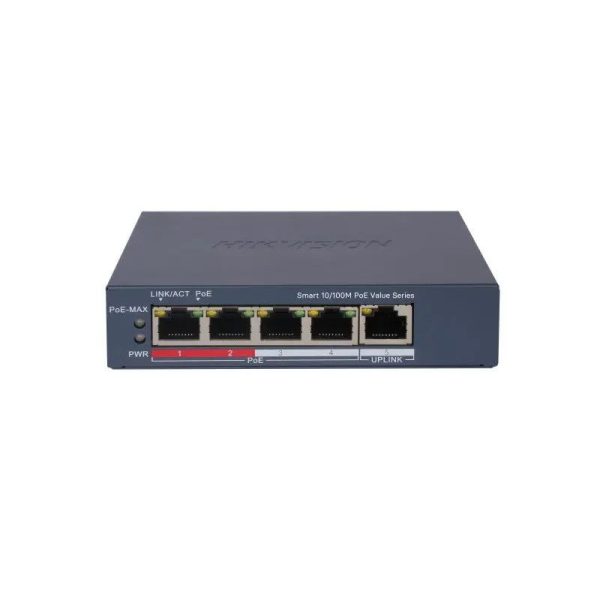
General
- Shell: Metal material, fan-free design
- Net Weight: 0.26 kg (0.573 lb)
- Gross Weight: 0.75 kg (1.65 lb)
- Dimensions (W × H × D)121.1 mm × 27.6 mm × 83.1 mm (4.77” × 1.09” × 3.27”)
- Operating Temperature 0°C to 40 °C (32 °F to 104 °F)
- Storage Temperature -40°C to 85 °C (-40 °F to 185 °F)
- Operating Humidity 5% to 95% (no condensation)
- Relative Humidity 5% to 95% (no condensation)
- Power Supply 54VDC, 0.92A
- Installation Mode: Desk-Mounted, Wall-Mounted
- Max. Power Consumption: 50W
- Power Consumption in Idle: 5W
- Surge Protection: 6KV
Network Parameters
- Ports4 × 10/100 Mbps PoE port,1 × 10/100 Mbps RJ45 port
- MAC Address Table 2K
- Switching Capacity 1.2 Gbps
- Packet Forwarding Rate0.89 Mpps
- Internal Cache768 Kbits
PoE Power Supply
- PoE Standard IEEE 802.3af, IEEE 802.3at
- PoE Power PinEnd-span: 1/2(-), 3/6(+)
- PoE Port: Ports 1 to 4
- Max. Port Power 30 W
- PoE Power Budget 45 W
- Software Function
- Port Isolation
Ports 1 to 4: port isolation mode to improve network security
Ports in an isolation group cannot communicate with each other, but they can communicate with ports outside the isolation group.
- PoE WatchdogPorts 1 to 4: auto detect and restart the cameras that do not respond.
Support one-click activation and remote management via Hik-Partner Pro. Functions supported:
1. Display the port rate.
2. Display the port bandwidth utilisation rate.
3. Display the PoE power usage.
4. Display topology information.
5. Display the alarm status.
6. Restart ports and devices.
7. Enable port long-range mode.
8. Remotely upgrade the device.
- System Maintenance: Support remote management via Hik-Partner Pro.
- VIP Ports 1 to 2: data on VIP ports is preferentially forwarded when bandwidth resources are insufficient.
- Approval
- EMCCE-EMC (EN 55032: 2015+A11: 2020, EN IEC 61000-3-2: 2019, EN 61000-3-3: 2013+A1: 2019, EN 50130-4: 2011+A1: 2014, EN 55035: 2017+A11: 2020)
- SafetyCB (AMD1:2009, AMD2:2013, IEC 62368-1: 2014 (Second Edition), CE-LVD (EN 62368-1: 2014+A11: 2017)
- ChemistryCE-RoHS (2011/65/EU), WEEE (2012/19/EU), Reach (Regulation (EC) No.1907/2006)


Reviews
There are no reviews yet.